
Every platform among 2026’s best AI app builders can produce a first version of an app for close to nothing. The bill shows up on the twentieth change. A button moves, a client needs a different view, a manager asks for one more approval step, and on a credit-metered platform each of those edits is a prompt that costs money, while on a flat-priced platform they’re clicks in an editor. Multiply that by a year of running the app and the cheapest tool at the demo can be the most expensive tool in production.
Here are nine on what iteration costs, in dollars and in dependence: how each platform charges for changes, who can make them without an engineer, and what support looks like when something breaks at 4 p.m. on a Friday. Prices below are the vendors’ annual-billing rates as of September 2026.
9 best AI app builders: TL;DR
- Softr: Full-stack business apps priced per app user; visual edits cost nothing, MCP building from Claude or ChatGPT is free on every plan
- Base44: All-in-one hosted apps on message credits, with basic roles
- Replit: Agent-driven coding environment with hosting; usage credits plus per-user team plans
- Lovable: Prompt-to-prototype web apps; credits per change, code you export and maintain
- Knack: Database apps with unlimited users and record-based tiers
- Glide: Spreadsheet-driven mobile apps; credits and member counts set the price
- Bolt: Full-stack code generation metered by tokens
- Bubble: Design-heavy no-code apps metered by workload units
- Retool: Engineer-built internal tools priced per builder and per end user
Here’s what went into it:
- What a single prompt produces: interface only, or database, logic and permissions too
- How you make changes after generation, and whether they consume credits or tokens
- Whether logins, user groups and record-level permissions exist without custom code
- Pricing model (per app user, per seat, per credit, per token) and the cost of the free plan running out
- Support: live humans, a community, or a documentation site
- Security posture a client or an IT reviewer would ask about
Quick comparison
| Platform | Build model | Pricing model | Paid from (annual) | G2 rating (Sept 2026) |
|---|---|---|---|---|
| Softr | Full app from a prompt, on components the vendor maintains | Flat, per app user | $19/month | 4.7 (746) |
| Base44 | Prompt generates hosted app on managed DB | Message credits | $16/month | 3.8 (44) |
| Replit | Agent writes and deploys code | Usage credits + per user | $18/month | 4.4 (413) |
| Lovable | Prompt generates React + Supabase code | Credits per prompt | $25/month | 4.6 (428) |
| Knack | Visual database builder with AI assist | Flat, record tiers, unlimited users | $59/month list | 4.3 (115) |
| Glide | Spreadsheet or prompt to mobile app | Credits + members | $25/month | 4.7 (820) |
| Bolt | Prompt generates full-stack code | Tokens | $25/month | 4.3 (95) |
| Bubble | AI start + visual editor | Workload units | ~$29/month | 4.4 (166) |
| Retool | Components wired to queries | Per builder + per end user | $10/user/month | 4.6 (360) |
Softr
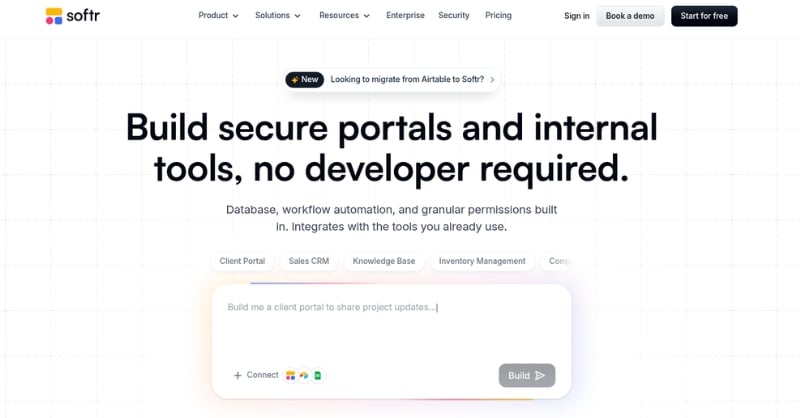
Softr sits first because its flat app-user pricing avoids the credit and token meters used by many AI app builders. Built for operations teams, it produces secure customer portals, internal tools and operational apps with no coding, and its AI Co-Builder gets the core app started from a description: you say what the app should do, and it generates the database, the app pages, the user roles and permissions, wired together and ready for real users. The Co-Builder can then help set up workflows as a next step. Prompt the Co-Builder for something big; open the visual editor for a new field, a permission tweak or an extra page, and pay nothing extra for it. Softr’s own pricing notes make the contrast explicit: once the AI credits are gone, the editor keeps working.
There’s a lot more to like about Softr. Softr’s MCP server, released in September 2026 and included on every plan, lets a builder create databases, pages, custom blocks and workflows from Claude, ChatGPT, Codex or Cursor without spending Softr credits at all. The stack is complete in one subscription: Softr Databases, the app layer, Softr Workflows and Softr Forms. Existing data in Airtable, HubSpot, Google Sheets, SQL and similar sources plugs straight in, and the apps run on platform-maintained components rather than generated code, so nothing needs hosting or patching by the customer. Data lives in Frankfurt, Germany, under GDPR and SOC 2 Type II. User groups decide who sees which pages, blocks and records, with the rules enforced on the server, and the bill is flat and counts app users rather than seats or prompts.
Key features
- One prompt generates the database, pages, permissions and core app structure; Co-Builder can then help set up workflows as a next step
- Prompt mode and visual editor interchangeable; no code to maintain
- User groups with page, block and record-level permissions, enforced server-side
- 21-plus external data sources plus native Softr Databases
- Softr MCP: build from your own AI agent on any plan, credit-free
- Ask AI, Database AI Agents, Softr Agents and Workflows built in
Pros and cons
Pros
- Visual edits and MCP building never draw down credits, so the running cost is the plan price
- App-user pricing keeps portals affordable as client counts grow, and the same user counts once across every app
- Live human support ships with the product, with priority support and onboarding on Business and a dedicated channel on Enterprise
- Frankfurt hosting, SOC 2 Type II, and GDPR support common security and compliance requirements for European and US organiszations.
Cons
- Desktop-first design, although apps adapt to phones and support PWA installation
- Heavily custom layouts and animations need the Vibe Coding block or a different tool
- The Business tier is where global data restrictions and PWA installation begin
What reviewers report
Softr holds a 4.7 rating from 746 G2 reviews, with 84 percent at five stars. Ease of use, customer support and easy setup are the most-mentioned strengths, followed by integrations. The complaint clusters are limited customiszation and missing features, in most cases from builders who wanted deeper design control inside blocks, and a smaller group who found paid plans pricey for a solo project.
Pricing
Free (unlimited apps, 5 app users, 5,000 records, 5 AI credits). Basic $19 a month with a custom domain and conditional forms. Pro $99 removes Softr branding and unlocks granular permissions and custom code. Business $329 adds 2FA, global data restrictions, PWA and priority support. Enterprise is custom, with SSO, SCIM, audit logs and a customer success manager. Add-on AI credits and extra app users are available; nonprofits get 50 percent off.
Bottom line
For a team that will change its app every week for the next year, Softr’s flat, per-app-user pricing and credit-free editing make it the cheapest of these nine to keep running, and the governed stack means IT won’t inherit a codebase.
Base44
Base44 promises the full app from a single prompt: interface, managed database, authentication and hosting, plus agents and a GitHub export. Now owned by Wix, it aims at non-coders who want a working MVP without wiring services together, and for that first version it delivers a lot in one shot.
Key features
- Prompt-to-app with backend, auth and hosting included
- AI agents inside generated apps
- GitHub export and a free custom domain for a year on paid plans
- Integration credits for connecting outside services
Pros and cons
Pros
- Fewest moving parts to reach a hosted, login-protected app
- Low entry price for hobby and validation projects
Cons
- Every change is a prompt that spends message credits, and a simple request costs the same as a complex one
- Data stays in a database Base44 manages, with few paths to existing systems, and roles are basic
- App logic is AI-generated and hard to audit or adjust without more prompting
- Taking the GitHub export means taking on hosting, security and upkeep of a codebase
What reviewers report
G2 puts it at 3.8 across 44 reviews, with the ratings piled at five stars and one star and almost nothing in between. Reviewers praise how capable the builder is when it works and criticiseze support, session memory that resets, and the small free credit allowance.
Pricing
Free with limited credits. Starter $16 a month, Builder $40 (250 message credits), Pro $80 (500), Elite $160 (1,200), each with separate integration credits.
Bottom line
Base44 is a fast way to see an idea running, and a credit meter is a poor fit for an app that changes every week.
Replit
Replit wraps a cloud coding environment around Replit Agent, which plans, writes, tests and deploys an application from a description, and hosting, storage and custom domains all live in the same tab. Developers get a complete environment with no installation.
Key features
- Agent-driven build, debug and deploy loops
- Browser IDE with 50-plus languages and multiplayer editing
- Autoscaling hosting and custom domains
- Security scanning before deployment
Pros and cons
Pros
- Nothing to install and real hosting attached, so a prototype becomes a live URL fast
- Strong for learners and developers who want to read and edit the generated code
Cons
- Iteration draws on usage credits, and team plans add per-user pricing on top
- Logins and roles for app users are code, not configuration
- The database layer lags dedicated backends
- Generated code is the team’s to fix and secure after deployment; hosting is included, maintenance isn’t
What reviewers report
Replit rates 4.4 from 413 G2 reviews. Ease of use and user experience lead the praise, and the two largest complaint clusters are “expensive” and “credit system,” followed by poor code quality on larger projects and occasional unreliability.
Pricing
Starter is free. Core is $20 monthly, $18 on an annual plan, and carries $20 in model usage; Pro is $100 with $100 of usage; Teams and Enterprise bill per user and add SSO and SCIM.
Bottom line
Replit is a developer’s platform with an agent, and its cost curve follows both prompts and people.
Lovable
Lovable turns a conversation into a complete web app, React in front and Supabase behind, previews it live and syncs the code to GitHub. It’s the reference point for prompt-to-prototype speed, and it has grown into team features and an Agent Mode that works through tasks on its own.
Key features
- Conversational generation of React, TypeScript and Supabase apps
- Live preview with a light visual edit mode
- Agent Mode for autonomous multi-step work
- GitHub sync, code export and Figma import
Pros and cons
Pros
- Fastest idea-to-prototype path on this list, on a mainstream stack a developer can inherit
- Export removes lock-in
Cons
- Credits are spent on every change, including cosmetic ones, and reviewers call consumption unpredictable
- No permission layer for business apps out of the box; client and staff access must be coded
- The result is a codebase to host, secure and maintain, which is why non-technical teams end up hiring an engineer
What reviewers report
Lovable carries 4.6 from 428 G2 reviews and an 80 percent five-star share. Ease of use dominates the praise. On the negative side, “credit system” is the top tag by a wide margin, with prompt issues, poor coding and expense behind it, and several reviewers describe small requests introducing regressions in unrelated parts of a project.
Pricing
Free with limited daily credits. Pro runs $25 monthly with 100 credits, Business $50 and adds team workspaces, Enterprise on request.
Bottom line
Lovable wins the demo and loses the maintenance budget for anyone without a developer.
Knack
Knack is a veteran no-code platform for database apps and portals with an AI builder on top, and its pricing philosophy is the opposite of the credit model: no cap on users or roles on any plan, with tiers set by record counts.
Key features
- Visual database modeling with AI-drafted tables and pages
- No user or role caps on any tier
- Portal features such as sign-in, pages gated by role and payment forms
- 2FA for app users on Pro
Pros and cons
Pros
- User count never changes the bill, which suits member portals
- Record-based tiers are easy to forecast
Cons
- Reviewers flag missing features and limited customiszation, and the interface feels dated beside newer builders
- The AI drafts tables and screens but stops short of the workflows and permission rules other platforms generate alongside them
- SSO at the advanced level costs extra
What reviewers report
Knack’s G2 profile shows 4.3 from 115 reviews. Ease of use, intuitiveness and support lead the positives; missing features and limited customiszation are the recurring negatives.
Pricing
Starter lists at $59 a month (20,000 records) and Pro at $130 (50,000 records), with promotional rates often far lower; Corporate and Enterprise tiers above. Check current promotions before quoting.
Bottom line
Knack gets the pricing shape right for portals and lags on generation depth and polish.
Glide
Glide turns spreadsheets and prompts into internal business apps and agents, with the most phone-friendly output of the nine. Field teams and small operations groups pick it because a Google Sheet becomes an app that looks native in minutes.
Key features
- Spreadsheet-to-app from Google Sheets, Excel or Glide Tables
- Prompt-based app generation and AI columns
- Agents for routine data work
- Large template gallery
Pros and cons
Pros
- The strongest mobile experience among these builders
- Very fast setup for a first-time builder
Cons
- Pricing meters credits and members, and reviewers describe it getting expensive as an app grows
- A fixed app structure limits design once requirements get specific
- External data sources beyond spreadsheets are thin, and complex permissions take workarounds
What reviewers report
Glide’s Glide Classic listing on G2 shows 4.7 from about 820 reviews. Ease of use, easy creation and “no coding” are the leading tags, while missing features, limitations and expense make up the complaints.
Pricing
Free with limited credits and two members. Basic $25 a month (100 credits), Plus $50 (250), Pro $125 (500 credits, 5 members, scaling by members and credits), Enterprise custom.
Bottom line
Glide is the right call for a mobile-first spreadsheet app with a modest audience, and the credit-and-member meter needs watching as it grows.
Bolt
Bolt generates full-stack applications in the browser, React, Node and a Postgres schema, deployable with a single click. It’s built for technical people who want the code and want it now.
Key features
- Prompt-to-code generation on a standard stack
- Runs in-browser through WebContainers; nothing to install
- GitHub sync and export, one-click Netlify deployment
- Database provider is selectable on paid plans
Pros and cons
Pros
- Full ownership of exportable code
- Compresses scaffolding into an afternoon
Cons
- Token spend rises in proportion to project size, so cost climbs as the app matures
- Reviewers report broader-than-requested changes and code that needs refactoring before production
- No user management or permissions for business users without writing them
- Owning the code means owning its hosting, patching and security review
What reviewers report
Bolt holds 4.3 from 95 G2 reviews. Reviewers like the speed from idea to clickable prototype and dislike the unpredictability of token spend, above all when debugging.
Pricing
Free with one million tokens a month and a daily cap. Pro $25 a month from ten million tokens, Teams $30 per user, Enterprise custom.
Bottom line
Bolt is a strong choice for a developer prototyping a SaaS product and a poor fit for a team that wants to own an app without owning its code.
Bubble
Bubble brings AI generation to the most complete visual no-code environment for web and mobile apps: layout, data, logic and privacy rules inside a single editor, with pixel-level control and the largest plugin marketplace in the category.
Key features
- AI-generated starting point plus a deep visual editor
- Native iOS and Android output
- Built-in database and workflow engine
- Plugin marketplace and templates
Pros and cons
Pros
- More front-end freedom for custom layouts, animations and branding than any other tool here
- Capable of shipping a full SaaS product
Cons
- A climb that reviewers call steep, and login, onboarding and permissions have to be built rather than enabled
- Workload-unit pricing is hard to forecast
- Slower path to a portal a compliance reviewer will approve
What reviewers report
Bubble rates 4.4 from 166 G2 reviews, five percent of them one star, a higher share than most tools here; the negative reviews concentrate on complexity and cost surprises.
Pricing
Free with 50,000 workload units a month; Starter, Growth and Team tiers scale workload units, with the Starter tier listed near $29 per month on an annual plan. Confirm current tiers on Bubble’s pricing page.
Bottom line
Bubble rewards a builder who invests weeks, and punishes a team that expected a portal by Friday.
Retool
Retool is where engineering teams build their internal tools, wiring components to whatever database, API or model the team runs, with AI that scaffolds apps and writes queries. Versioning, audit logging and self-hosting have matured over years.
Key features
- Drag-and-drop components wired to SQL and API queries
- AI app scaffolding and query generation
- Git version control, audit logs, RBAC
- Self-hosted option
Pros and cons
Pros
- Audit trails and version control engineers trust
- Connects to almost anything
Cons
- Logic and permissions live in SQL and JavaScript; setup is complex for non-developers
- Per-builder and per-end-user pricing scales the wrong way for external portals
- Complaints center on the learning curve and on features that need workarounds
What reviewers report
Retool averages 4.6 on G2 over 360 reviews. Efficiency, flexibility and fast dashboard development top the praise; limited features, functionality gaps, bugs and a steep learning curve top the criticism.
Pricing
Free for up to five users. Team charges $10 for each standard user and $5 for each end user every month, Business $50 and $15 with volume discounts on end users, Enterprise on request.
Bottom line
Retool is the right internal-tools platform for an engineering group, and the wrong one for a customer portal owned by operations.
Special mentions
Emergent generates web and mobile apps with code you own, on plans from free to $20 and $200 a month. It’s popular with founders who want a deployable app plus the repository, and it carries the same maintenance implications as Lovable and Bolt.
v0 by Vercel converts a written prompt, a rough sketch or a screenshot into React and Next.js interfaces and deploys them to Vercel. It excels at front ends for developer teams (Free, then $30 per user a month) and offers nothing for business-user logins or permissions.
Which AI app builder should you choose?
Choose Softr if you:
- Run an operations, customer or HR team and need a portal or internal tool with logins and roles this week
- Want to change the app yourself in a visual editor, or from Claude or ChatGPT over MCP, without paying per edit
- Need EU data residency, SOC 2 Type II and per-app-user pricing that finance can forecast
The rest of the list serves narrower situations, each with a cost attached. Base44 gets a hosted MVP running fastest and then charges the same credits for a trivial change as for a large one. Replit and Bolt hand a developer an agent and a repository, along with the hosting bill, the security review and the refactoring that follows. Lovable produces the most polished prototype for an investor demo and expects an engineer to carry it from there. Knack offers unlimited users for a records-heavy portal at the price of a shallower AI build. Glide fits a phone-first spreadsheet app while the audience stays small enough for its credit-and-member meter. Bubble rewards weeks of learning with custom design freedom, and Retool serves engineering teams building admin tools with audit requirements, provided someone on staff writes SQL.
The best AI app builders in 2026, judged on the cost to iterate
Ranking the best AI app builders by iteration cost changes the usual order. The prompt-to-code tools still win the first demo. Softr wins the year that follows, because its Co-Builder returns a complete app the platform keeps running, its visual editor and MCP building are free to use, and its pricing counts app users rather than seats, prompts or tokens. Pick the platform for the app you’ll be running in month twelve, not the one you’ll be showing in week one.
Frequently asked questions about AI app builders
What are the top 5 AI app builders?
For business teams, the five that business teams shortlist most often in 2026 are Softr, Lovable, Bolt, Replit and Glide. Softr and Glide produce no-code apps you edit in a visual builder, while Lovable, Bolt and Replit produce code. Which five belong on your list depends on whether you want to own a codebase.
Can ChatGPT build an app?
ChatGPT can write code and explain how to assemble an app, but it doesn’t host, secure or run one. Purpose-built platforms fill that gap. Softr goes a step further with an MCP server that lets ChatGPT, Claude or Codex build and update a Softr app, with the hosting, permissions and database handled by the platform.
Is it legal to use AI to build an app?
Yes. Apps generated with AI are legal to build, deploy and sell in the United States, subject to the same rules as any software: respect third-party licenses, protect user data under laws such as GDPR where it applies, and read the platform’s terms on ownership of generated output. With a managed no-code platform such as Softr, the platform maintains the underlying application infrastructure rather than handing the team a generated codebase to maintain.
Can I sell an app made with AI?
You can, and many founders do. Code-generation tools such as Lovable and Bolt let you export the code and sell the product on your own terms. Platforms like Softr are built for running business apps, portals and internal tools rather than for packaging software for resale, so check the intended use before choosing.
How much do AI app builders cost per month?
Entry paid plans in this comparison run from $16 (Base44) and $19 (Softr) to $25 (Lovable, Bolt, Glide), with Knack listing at $59. The bigger cost driver is the pricing model: credit- and token-metered tools charge for every change, per-user tools charge for every login, and flat app-user pricing charges for neither.