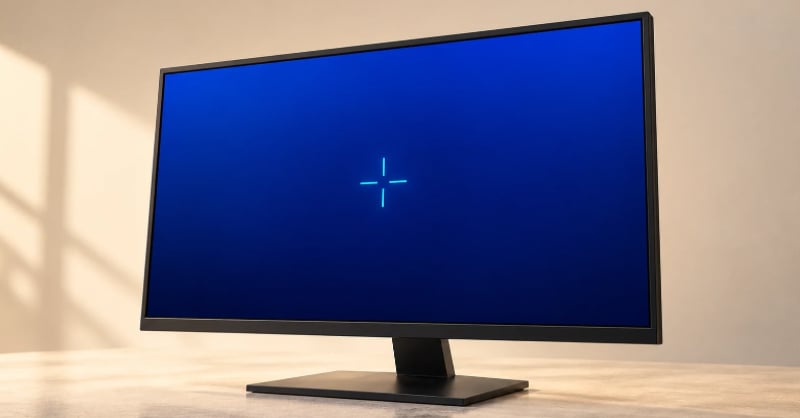
When it comes to video games, one of the most significant factors that gamers notice is the visuals. After all, game developers spend vast amounts of time trying to make sure their games look absolutely phenomenal… but how do the different elements of this come together to create a satisfying experience? Let’s uncover two key areas: motion clarity and crosshair design.
G-Sync Pulsar reached gaming monitors in 2026 to make movement look clearer by coordinating a pulsing LCD backlight with variable refresh rates. It addresses a different question from the adjustments to an aiming marker. A crosshair’s appearance belongs to the game’s image; motion clarity depends on how the display presents that image over time.
TechSpot’s January testing examined Pulsar on the Asus ROG Strix Pulsar XG27AQNGV. Its comparisons included different refresh rates and different positions across the screen, examining how consistently the feature presented moving detail. That provides evidence about the display’s behavior beyond the appearance of a stationary image.
The aiming marker’s job
CS2 lets players adjust their crosshair’s appearance and preview the result. Importing custom CS2 crosshair codes applies a configuration without recreating each setting individually. Color, shape, and thickness describe the marker drawn into the game, giving players a way to reproduce a design and then consider its appearance alongside the scene.
Thickness determines how much space the graphic occupies. Color and outline affect its distinction from the background. These are relationships within the picture: the marker has to remain recognizable while leaving the surrounding imagery legible. An outline adds an edge around the marker, giving its shape another boundary against the background.
A screenshot preserves those relationships at one moment, including the marker’s shape and position within the captured frame. It is useful evidence of appearance. The missing information is time: the screenshot cannot reproduce how long the display illuminated that frame or how the sequence looked to someone following movement with their eyes. A still image therefore cannot settle every question about visual clarity.
The crosshair is one of the most important elements on the screen when playing CS2; it draws the player’s eye to their aim point and maximizes their chances of hitting an enemy accurately. That’s why considering the aiming marker and changing its appearance to suit individual preferences is so key.
Why motion can blur on a sharp screen
A conventional LCD uses sample-and-hold presentation. It displays an image and keeps it visible until the next update. During that interval, the image remains in place while eyes following a moving object continue to move. That mismatch contributes to perceived blur, even though each image contains clearly defined detail.
Pixel response describes another part of the process: the time a pixel takes to change between values. Persistence concerns how long the resulting image stays visible. Faster transitions can reduce transition-related smearing while leaving the blur associated with holding each image on screen.
Refresh rate describes the number of display updates per second. Frame rate describes the images rendered by the game over time. A display update does not necessarily contain a newly rendered frame, so the two figures need to retain their separate meanings. Persistence adds another consideration: how much of the interval between updates remains visible to the viewer.
These distinctions explain why a monitor’s refresh specification cannot describe its entire motion performance. The update frequency, the transitions between pixel values, and the duration of illumination concern different operations. A clearer moving image can result from changing one of those operations without changing all the others.
Backlight strobing changes when the image is visible. Instead of illuminating the LCD continuously, it uses brief pulses of light, hiding part of the period during which an image is held. Shortening that visible interval can make moving detail appear clearer during eye tracking.
TechSpot compared Pulsar on and off using moving test imagery. The same monitor produced clearer motion with Pulsar enabled, including below its maximum refresh rate. Comparing two modes of one display helps separate the effect of its operating behavior from differences between products. The physical panel remains the same while the way it presents moving imagery changes. Those observations concern display clarity; they do not establish an improvement in a player’s accuracy.
Coordinating light with changing frame delivery
Many earlier strobing modes worked at fixed refresh rates, with the backlight following a regular schedule. Variable refresh changes the timing of updates as frames arrive. The challenge is to keep illumination synchronized with both that changing delivery and the panel’s progressive updates, so the region being lit has time to settle within the refresh interval before it becomes visible to the viewer.
TFTCentral’s March examination tested Pulsar on the same Asus model. Its rolling backlight uses horizontal segments that illuminate in sequence, coordinated with the panel’s scanout, the process of updating different rows of pixels in sequence, rather than all at once. This timing allows pixels to settle before illumination.
Lighting different regions in sequence addresses a difficulty with illuminating the entire panel at once: different parts of the LCD are at different stages of updating. Coordinating light with those stages helps reduce the overlapping or ghosted images known as strobe crosstalk.
TFTCentral’s motion comparisons showed consistent clarity across the top, middle, and bottom of the tested display. The result reflects the timing of the individual backlight segments. The display has to present moving information across its surface.
Pulsar also adjusts its pulses as frame delivery changes. TFTCentral’s measurements showed changes in pulse strength and duration, with additional compensation pulses appearing during rapid changes. These adjustments help manage brightness and flicker as the intervals between delivered frames vary.
The resulting improvement comes from presenting existing imagery differently. It does not mean the game rendered extra frames or gained resolution. Crosshair settings define the visual reference drawn into that imagery; display timing affects how clearly the moving sequence appears. A well-defined marker and clear motion can coexist, with each supported by controls addressing its own part of the viewing experience. Working together, these two elements are a key factor in determining how fluidly CS2 play unfolds.